For Behringer X Air and Midas M Air
All your mixers. One app.
YAMC connects to two, three or more X Air and M Air mixers at once and shows them side by side — FOH and monitors, stage A and stage B, band and playback. Every channel, bus, effect and output, built for iPhone and iPad.
Free to try, with a demo mixer built in. Full version: one-time purchase, no subscription.
What makes YAMC different
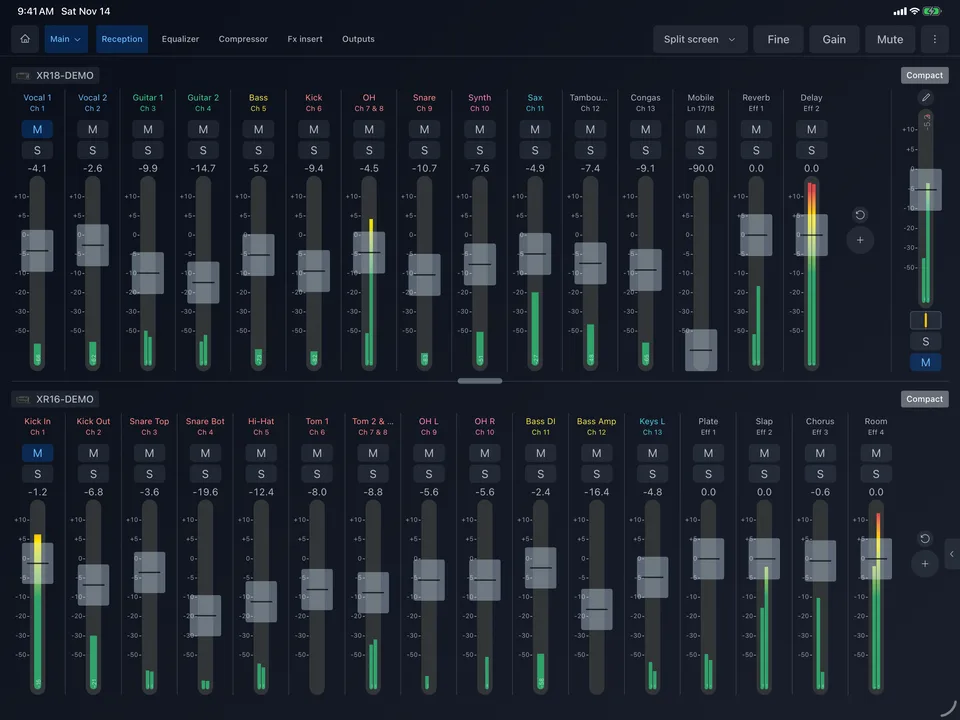
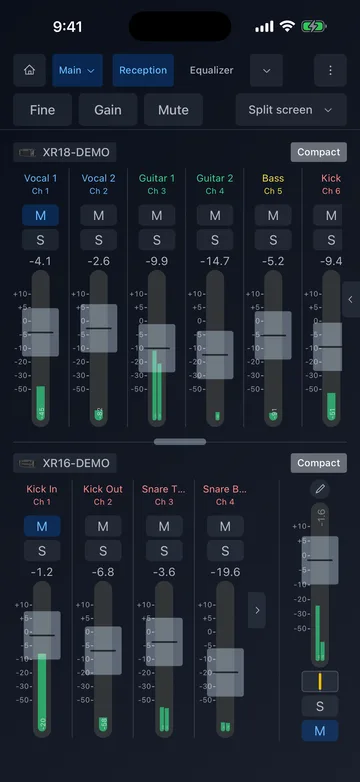
Several mixers, one screen
Most remote apps control one mixer at a time. YAMC stays connected to all of them, so you never leave one desk to fix the other.
Split screen
Two mixers one above the other, each with its own strips. Drag the divider to give one more room; one tab bar switches both.
Cascade
The channels of every connected mixer in one long row, like one big desk, with all their main faders on the right.
Swipe between them
One mixer full screen, and a swipe — or the switcher in the header — takes you to the next one in a moment.
Mix models freely
XR18 next to an XR16, an MR18 with an XR12: any X Air and M Air mixers on your network, in the order you choose.
Everything the desk can do, where you are
Walk the room, stand by the stage, sit next to the drummer. YAMC puts the whole mixer on your screen — and adds tools the desk itself does not have.
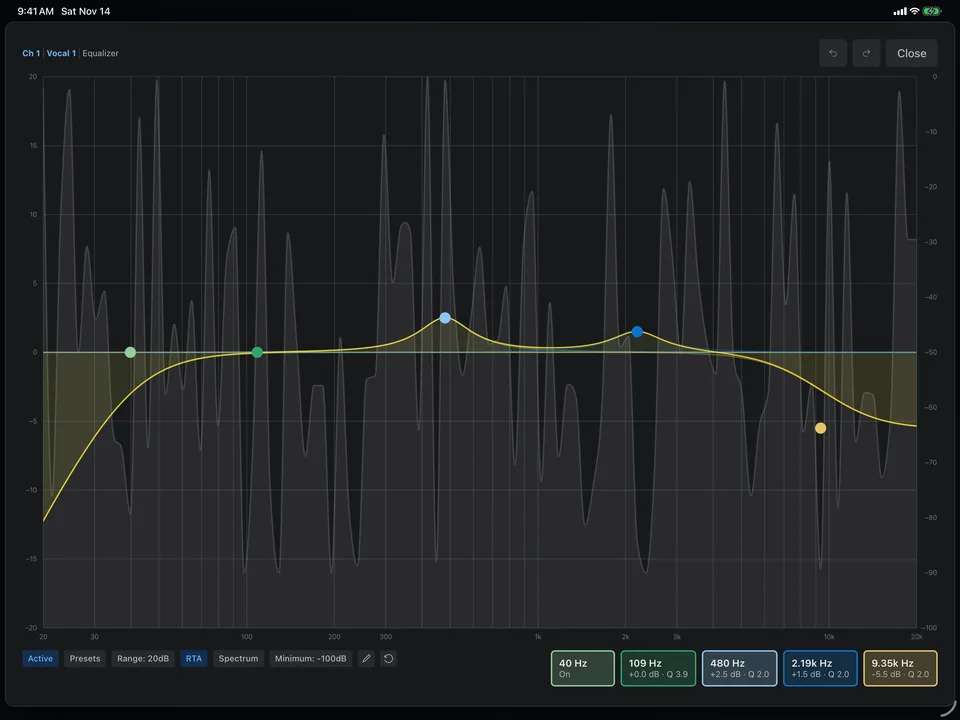
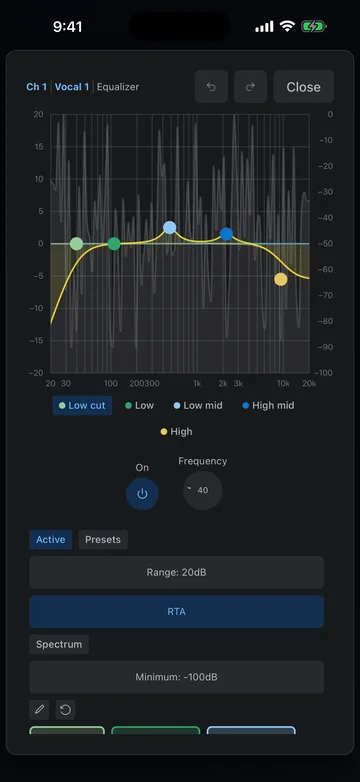
Equalizer with RTA
A parametric EQ you can grab and drag, with a real-time analyzer behind it. Pinch with two fingers to change a band's width; presets, undo and redo.
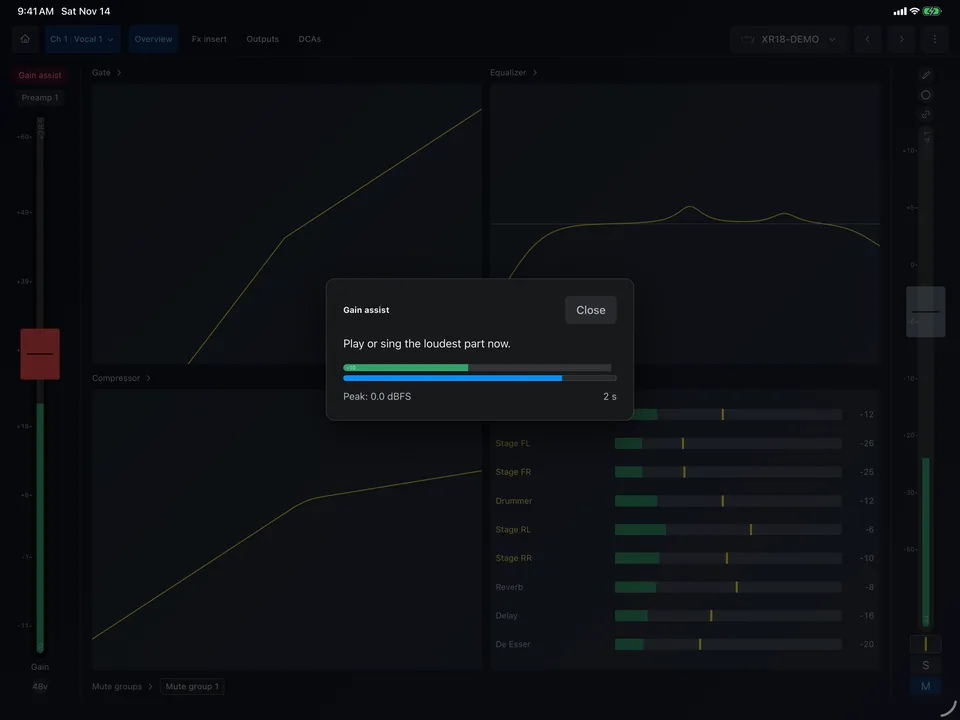
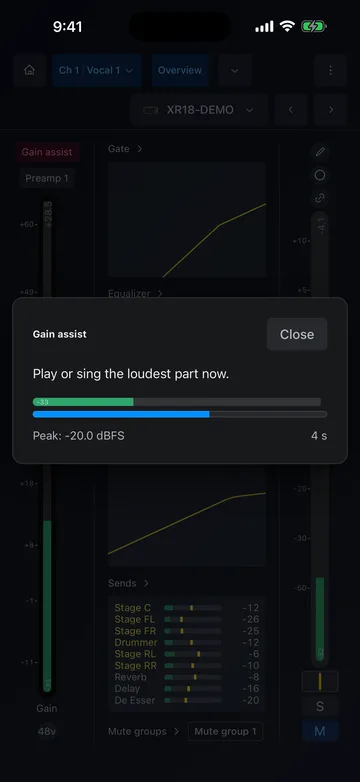
Gain assist
YAMC listens to the loudest part of a source, then sets the preamp gain once, with headroom to spare.
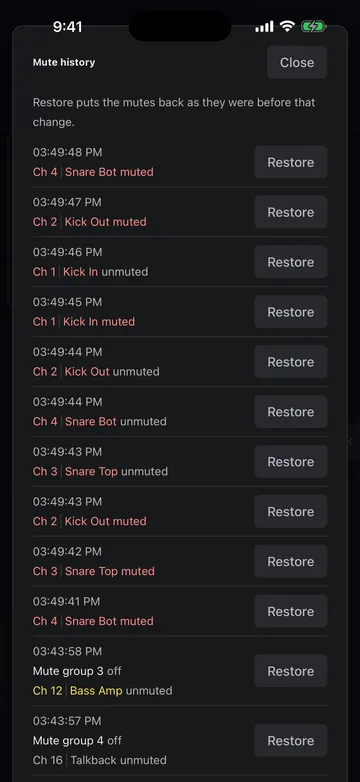
Mute guard
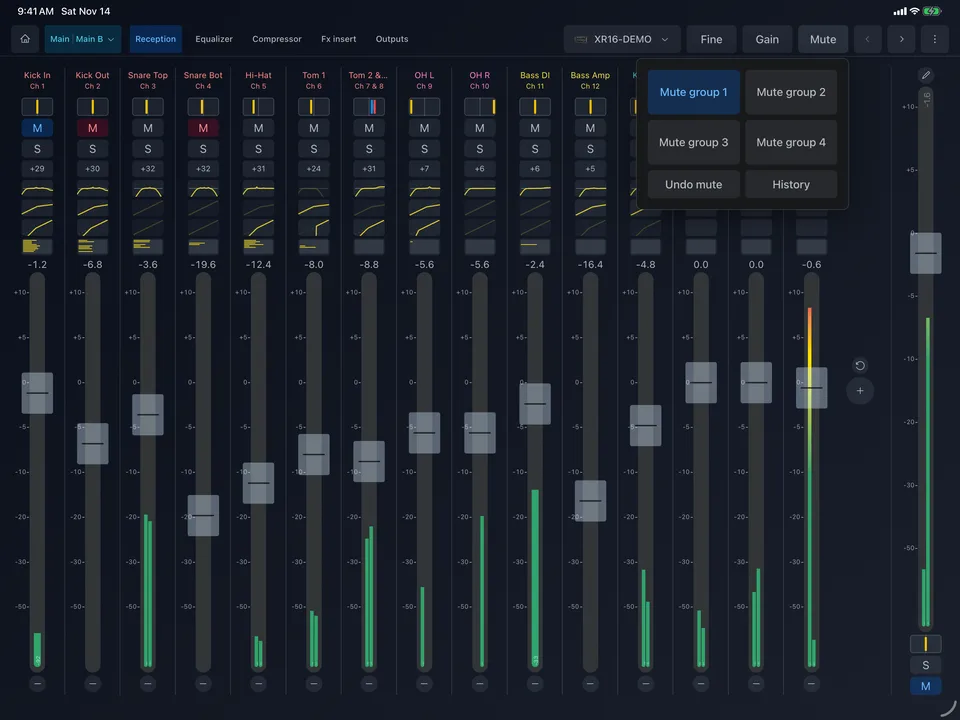
A mute history with one-tap restore, and protected channels that mute only when you hold the button — no more muted lead vocal by accident.
Sends, buses and routing
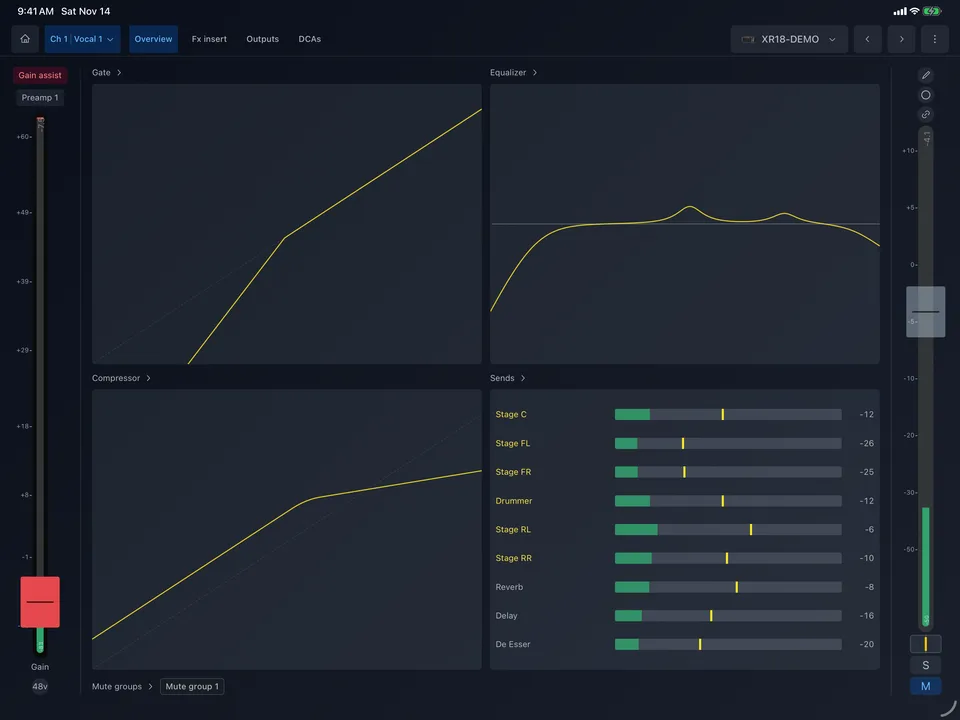
Sends to aux buses and effects, and the reverse view: everything that feeds a bus. Inputs, outputs, USB and Ultranet routing in clear pages.
USB recorder
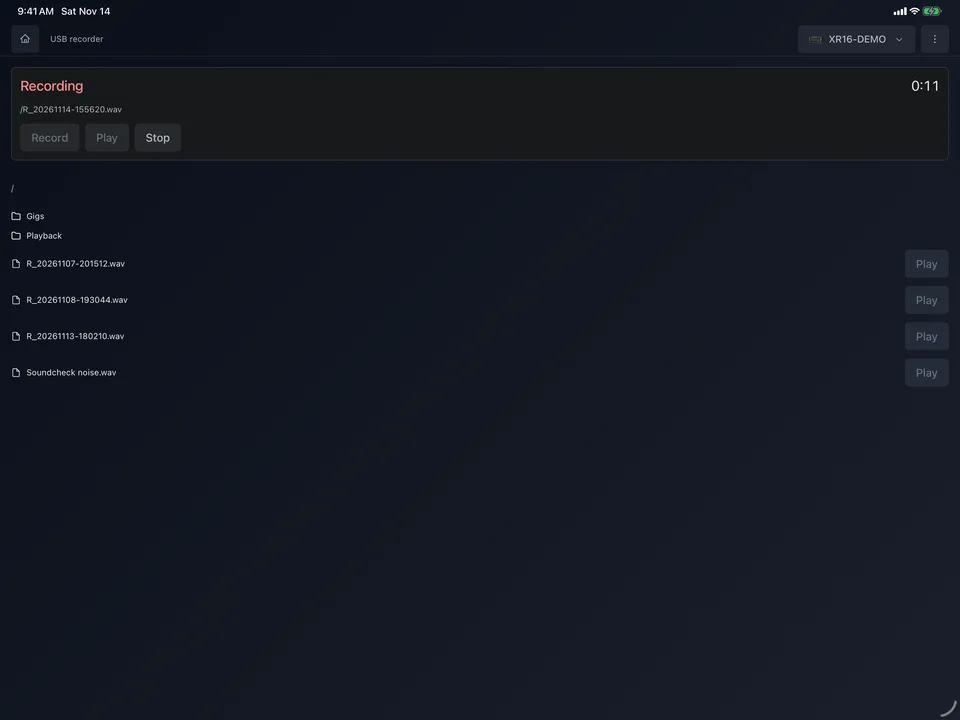
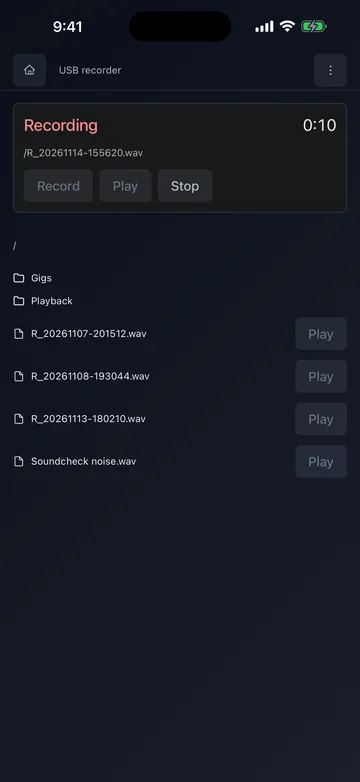
Record to and play from the USB stick in the XR12, XR16 and MR12 — with the files on the stick right in the app.
Several mixers at once
Connect two or three mixers and see them side by side in split screen or cascade, or swipe from one to the next.
Channel strips with real meters
Faders with scale marks, meters, mute and solo for every input, bus, FX return and DCA. Long press a name to rename it, pick colors and icons.
Equalizer with RTA
A parametric EQ you can grab and drag, with a real-time analyzer behind it. Pinch with two fingers to change a band's width; presets, undo and redo.
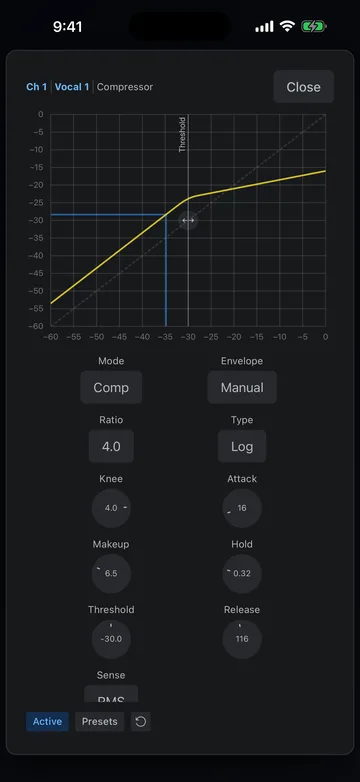
Gate and compressor
Both dynamics with their curves and live gain reduction, every parameter in reach on a phone or a tablet.
Sends, buses and routing
Sends to aux buses and effects, and the reverse view: everything that feeds a bus. Inputs, outputs, USB and Ultranet routing in clear pages.
Mute guard
A mute history with one-tap restore, and protected channels that mute only when you hold the button — no more muted lead vocal by accident.
Gain assist
YAMC listens to the loudest part of a source, then sets the preamp gain once, with headroom to spare.
Scenes and automatic backups
Save and load scenes on the mixer or in the app, choose what a scene recalls before loading it, and let YAMC back up every mixer automatically.
USB recorder
Record to and play from the USB stick in the XR12, XR16 and MR12 — with the files on the stick right in the app.
Personal monitor mode
Give a musician their own monitor mix on their phone, and nothing else to touch.
Works with your mixer
YAMC talks to the mixer directly over your local network. No account, no cloud, no internet connection needed.
Connect your iPhone or iPad to the same Wi-Fi as the mixer — its own access point or your router. Not sure? Try the demo mixer in the app first.
Behringer X Air
- XR18
- X18
- XR16
- XR12
Midas M Air
- MR18
- MR12
Made for iPhone and iPad
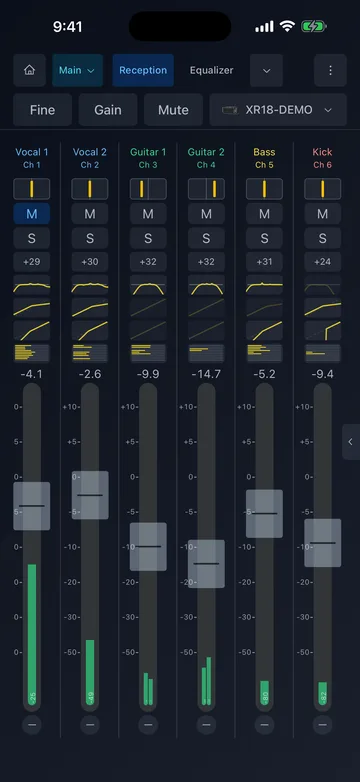
- iPhonePortrait or landscape, every page fits a phone.
- iPadLarge faders, split screen and windows on iPadOS, trackpad and keyboard shortcuts.
- NextMac, Windows, Linux and Android are on the way.
Fair and simple
Try everything for free. If YAMC earns a place in your workflow, unlock it once.
Free
0 €
- Every feature, every supported mixer
- A one-minute break after every 5 minutes connected (the mixer keeps working)
- Demo mixer to try it without hardware
Full version
2.99 € one-time purchase
- Unlimited mixing, no breaks
- On all your iPhones and iPads with the same Apple ID
- No subscription, no account
YAMC is built on Magical Mixing Console, the open source app by Matías Barrios. We have extended it with many new features and keep developing and maintaining it. The small price supports that work — testing, maintenance and developer account costs — not the original code.
Questions
Can YAMC control several mixers at the same time?
Yes — that is what it is made for. Connect two, three or more X Air and M Air mixers and see them side by side in split screen, as one long desk in cascade, or swipe from one to the next. See Several mixers.
Which mixers does YAMC support?
The Behringer X Air family (XR18, X18, XR16, XR12) and the Midas M Air family (MR18, MR12), including the V2 models.
Does it need the internet?
No. YAMC talks to the mixer over your local network only — the mixer's own Wi-Fi or your router. It works anywhere, even without a signal.
Can I try it without a mixer?
Yes. The app has a demo mixer built in: every page works, with moving meters, so you can explore before your next show.
How does the free version work?
It has all the features. After every 5 minutes connected to a mixer, the app pauses for one minute — the mixer itself keeps running and your sound is not affected. The full version removes the breaks.
Is it a subscription?
No. The full version is a one-time purchase through the App Store.
I bought it on my iPhone. Do I have it on my iPad?
Yes, with the same Apple ID. If it does not show up, open Purchase in the app's menu and tap Restore purchase.
Does YAMC collect my data?
No. Your settings, scenes and backups stay on your device. There are no accounts, no ads and no analytics in the app. See the Privacy Policy.
Is YAMC made by Behringer or Midas?
No. YAMC is an independent app by DANUBE DIGITAL s. r. o. and is not affiliated with or endorsed by Music Tribe, Behringer or Midas.